

What Are Automated Content Calendars?
Learn what automated content calendars do, how planning and approvals work, and how to build a reliable publishing workflow with a simple example.
This guide sits in the AI SEO Automation topic cluster as a faq resource.
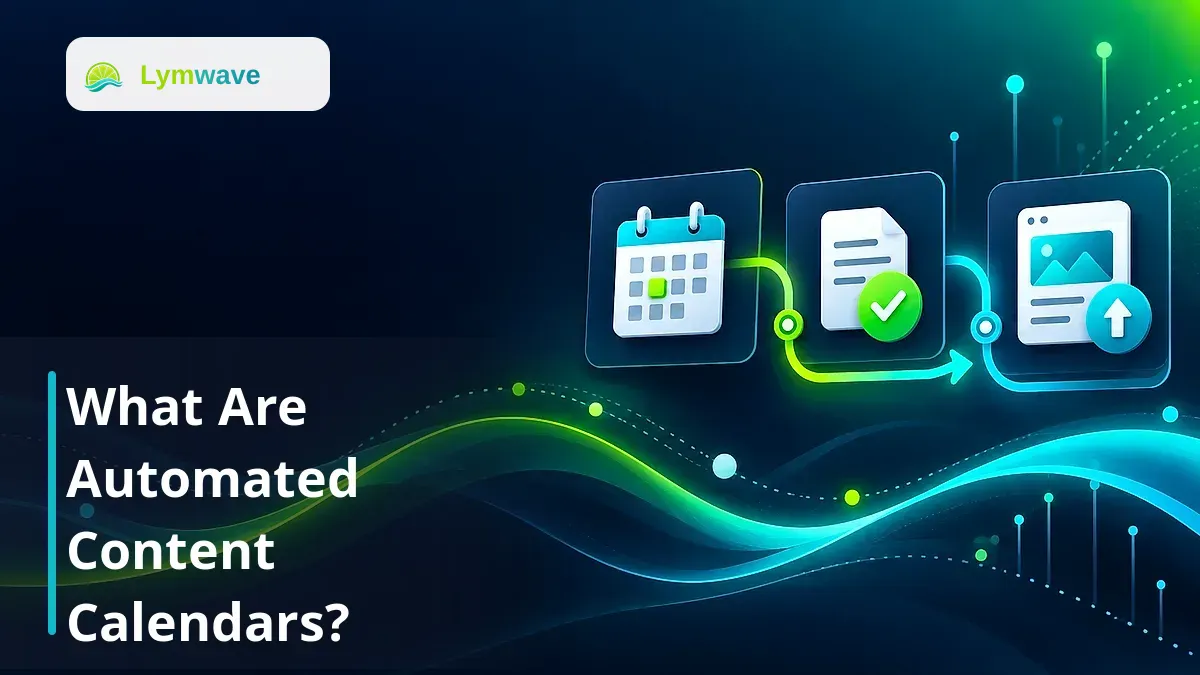
Automated content calendars are publishing plans that use rules or connected tools to move content through tasks such as drafting, review, scheduling, and publication. Each item combines a reader question, an owner, a status, and a target date. Automation handles agreed handoffs; people remain responsible for topic choices, factual accuracy, and approval.
For SaaS founders, small-business owners, and content marketers, the practical benefit is knowing what needs attention before a deadline slips. A useful calendar makes blocked work visible and keeps unapproved drafts out of the publishing queue. It can start with a spreadsheet and reminders, then expand as the workflow becomes clearer.
What an automated calendar contains
A calendar connects editorial decisions to repeatable actions. Its date view is only one part of the system. The underlying record should explain who the article helps, what it answers, and what must happen before it goes live.
Keep the initial fields small:
| Field | Purpose |
|---|---|
| Reader question and working title | Define the article's job |
| Existing page or proposed URL | Identify updates and prevent duplicate topics |
| Owner and reviewer | Make the next action someone's responsibility |
| Status and blocker | Separate ready work from waiting work |
| Draft and evidence links | Keep the article and supporting facts together |
| Approval and publishing date | Record permission, destination, time, and timezone |
A static spreadsheet stores these details but relies on people to remember each handoff. An automated setup might notify the reviewer when a draft is ready, prevent scheduling until approval, and record the live URL after publication. The exact actions depend on the tools and rules you configure.
A social media scheduler usually focuses on distributing posts to social channels. A blog calendar must also account for article research, source checking, internal links, page metadata, and maintenance. One system can cover both, but the article and its promotional messages need separate statuses.
How the workflow moves from idea to live page
Start with a real customer question. Suppose a small SaaS company repeatedly hears, “How do I prepare my data for import?” The calendar gives that question an owner, connects it to current product documentation, and reserves review time before choosing a publication date.
Plan and prepare the brief
Check whether an existing page already answers the question. Update that page if it serves the same intent; create a new article when the reader needs a distinct explanation. Record the intended audience, useful examples, supporting sources, and a relevant next step.
AI can suggest outlines or group similar questions, but someone should check that the topics reflect the business and offer different answers. For a broader planning method, use the 30-day SEO content planning guide.
Draft and review
When the brief is ready, assign the draft and notify its reviewer. Review should cover the answer itself, factual claims, current product behavior, links, and metadata. An automation that only checks whether a text field is filled cannot establish whether the explanation is correct.
Approval should identify the version reviewed. If a material claim, offer, or instruction changes afterward, send the revised version back for review. This prevents an earlier approval from being treated as permission to publish different content.
Schedule and verify
Once approved, schedule the article for a named destination and timezone. Treat the publishing response as one checkpoint, then open the live page to verify its text, image, links, and canonical URL. Store that URL in the calendar so the team can find the published result.
If the publisher times out, check whether the article already exists before retrying. If an integration disconnects, hold affected items and alert the owner. A failed handoff needs a recovery action, rather than a status that silently stays on “scheduled.”
A simple example calendar
This illustrative week shows how content can move through a small team's queue. The dates and volume are planning examples, not a recommended publishing frequency or customer results.
| Item | Current status | Next action | Automation |
|---|---|---|---|
| Data import preparation guide | Brief ready | Writer creates draft | Notify writer |
| Import error explanation | Awaiting review | Specialist checks examples | Remind reviewer |
| Updated setup checklist | Approved | Publish Thursday, 10:00 Asia/Jakarta | Send approved version to publisher |
| Existing migration article | Published | Check outdated screenshots | Create maintenance reminder |
If the specialist is unavailable, the error explanation remains blocked. The team can move its target date or publish another approved item. A calendar should represent available capacity and dependencies, rather than make a deadline override review.
Separate the planned date from the actual publication date. Otherwise, moving an overdue item can hide delays and make the workflow appear healthier than it is. Keep a short reason for a pause, such as “waiting for tested screenshots,” so the owner knows how to unblock it.
How this supports SEO, AEO, and GEO
Search engine optimization, or SEO, benefits from a plan that addresses distinct reader needs and keeps existing information current. Answer engine optimization, or AEO, emphasizes clear answers to questions. Generative engine optimization, or GEO, concerns visibility in generative search and answer experiences. These goals depend on useful, accessible content; scheduling alone does not achieve them.
For each article, record the main question and supporting evidence before drafting. Use descriptive headings, a direct opening answer, and internal links that help readers continue. Keep product names and factual descriptions consistent, and review the visible page alongside its metadata.
Google's guidance on generative AI content calls for accuracy, quality, relevance, and manual review, including metadata. Producing many pages without adding value can violate its scaled content abuse policy. A calendar therefore needs an editorial quality gate as well as a publishing date.
For Google's AI Overviews and AI Mode, its AI features guidance says established SEO practices remain relevant and no special optimization is required. Neither an automated schedule nor FAQ markup guarantees inclusion. See the SEO, AEO, and GEO article checklist for practical page preparation.
What to automate first and what to avoid
Begin with reminders, assignments, and status changes that have clear conditions. Test one complete article journey before connecting unattended publishing. A spreadsheet with dependable reminders can be sufficient when one person writes and approves the content.
Keep topic decisions, source verification, and publication permission explicit. Avoid filling empty dates with near-duplicate articles or letting generation volume exceed reviewer capacity. For the wider system, read the AI SEO automation guide.
Measure workflow reliability separately from search results. Track review delays, publishing failures, and time spent correcting drafts. After publication, inspect page-level search visibility and relevant business actions over time. An increase in published articles alone does not show that readers found the answers useful.
Lymwave prepares content plans and article drafts during onboarding, with user approval required before publishing. Its product cadence is one article per day across a 30-day plan. The smaller example above describes a general editorial workflow, rather than a configurable Lymwave cadence.
Frequently asked questions
Do automated content calendars write the articles?
Some connect to AI drafting tools, while others only organize assignments, reminders, and publishing dates. Check which actions a tool actually performs. Draft generation and editorial approval are separate steps.
Can I build one with a spreadsheet?
Yes. Start with a reader question, owner, status, draft link, approval record, and publishing date. Add reminders or connected publishing only when you can describe the rules and handle failures.
Does automation mean publishing without approval?
No. You can require explicit approval before scheduling or publishing. A reliable workflow holds unapproved drafts and requests review again when material content changes.
Will a calendar improve search rankings or AI citations?
A calendar can support consistent, useful publishing and maintenance, but it cannot guarantee rankings, traffic, or citations. Results depend on the content, website, competition, and the systems selecting answers.
What happens if a publishing step fails?
Pause the affected item, notify its owner, and check the destination for an existing page before retrying. Record the live URL after a successful publish and verify that the intended content is visible.
Useful next reads
AI SEO Automation Guide: How to Build a Content Engine That Publishes Consistently explains practical SEO, AEO, and GEO workflows for planning, publishing, measuring, and improving useful content consistently.
How to Create a 30-Day SEO Content Plan with AI explains practical SEO, AEO, and GEO workflows for planning, publishing, measuring, and improving useful content consistently.
How to Optimize Blog Posts for SEO, AEO, and GEO explains practical SEO, AEO, and GEO workflows for planning, publishing, measuring, and improving useful content consistently.
Turn this into a working content system
Audit your content, find AI visibility gaps, and build a publishing workflow that compounds.