

How to Use SEO Content Automation to Improve Organic Traffic
Learn how SEO content automation can improve organic traffic through better planning, briefs, publishing checks, internal links, and refresh workflows.
This guide sits in the AI SEO Automation topic cluster as a supporting resource.
Why organic traffic needs a repeatable system
Organic traffic rarely grows because a team publishes one good article and waits. It grows when the site keeps answering useful questions, strengthens the pages that already exist, connects related topics, and improves weak content before it drifts out of date. That kind of work is hard to sustain manually because it depends on many small steps that are easy to skip.
Quick answer: SEO content automation can improve organic traffic by turning content planning, briefs, draft support, metadata, internal links, publishing checks, and refresh monitoring into a repeatable workflow. The goal is not to replace editorial judgment. The goal is to make the right work happen consistently.
This matters for SaaS founders, small business owners, and content marketers because most teams do not have unlimited editorial capacity. They need a reliable way to decide which topics deserve new articles, which existing posts need updates, and which pages should link to each other. Automation helps by keeping those decisions visible and by moving repeated production tasks forward.
The safest way to think about automation is as a traffic improvement system, not as a bulk writing button. Organic growth still depends on search intent, helpful explanations, clear entity language, technical metadata, crawlable structure, and trustworthy review. Automation can make each of those easier to maintain when it is connected to a strong workflow.
What SEO content automation means
SEO content automation is the use of software and AI-assisted workflows to plan, produce, optimize, publish, and improve search-focused content. It can include topic clustering, content calendars, brief generation, draft creation, metadata checks, internal-link suggestions, schema support, image metadata, publishing preparation, and refresh reminders.
The useful version is structured. It starts with a real content goal and then automates the repeatable parts around that goal. For example, a site may want to improve visibility for a product category. Automation can help identify supporting topics, draft briefs, suggest related posts, check that every article has a direct answer, and flag older pages that should link to the new guide.
The risky version skips the strategy layer. If a system turns every keyword into a generic article, the site may publish more pages without answering anything better. That can create thin content, duplicated sections, weak internal links, and a library that is harder for readers to use. More output is not the same thing as better traffic.
A practical workflow separates five jobs:
| Job | What automation helps with | What humans should still own |
|---|---|---|
| Planning | Group topics, find gaps, build calendars | Business priorities and topic approval |
| Briefing | Define intent, sections, entities, links | Positioning, examples, and proof |
| Drafting | Create a working article from the brief | Accuracy, usefulness, and tone |
| Optimization | Check metadata, schema, links, and image paths | Final editorial quality |
| Refreshing | Monitor stale pages and opportunity signals | Deciding what changed and why |
When those jobs work together, content automation can support traffic growth without turning the blog into disconnected drafts.
How to build the workflow
Start with the content plan. A plan should explain the reader, the search intent, the topic cluster, and the expected outcome for each article. It should also separate new posts from refreshes. If an existing page already covers the intent but has weak metadata or stale examples, a refresh may be better than another URL.
If you need a planning model, the guide on creating a 30-day SEO content plan with AI shows how to turn a topic list into a usable calendar. The important point is that a plan should create order before the drafting step begins.
Next, automate the brief. A strong brief should include the primary question, the audience, required sections, related entities, internal links, FAQ candidates, metadata notes, and any claims that need review. This gives the draft a clear job. It also makes review easier because the editor can compare the finished article against the brief instead of judging from memory.
After that, use AI drafting as a first pass. The draft should answer the main question quickly, explain the workflow in plain language, and add specific examples where the reader needs them. It should not invent case studies, metrics, customer proof, or pricing claims. If the article needs evidence, the workflow should ask for it rather than making it up.
Then automate optimization checks. Before publishing, the system should confirm the title and meta description are unique, the canonical URL matches the slug, the featured image and Open Graph image align, the page has one H1, headings follow a logical order, FAQ schema matches visible questions, and related links point to existing pages.
Internal links are especially important. A new article should not sit alone. It should link to a pillar guide, nearby supporting posts, and relevant product or workflow pages where useful. Older articles may also need links back to the new page. For a deeper pass, use the guide on optimizing blog posts for SEO, AEO, and GEO.
Finally, add refresh monitoring. Organic traffic changes over time. Queries shift, competitors publish, product language changes, and AI answer systems may summarize topics differently. Automation can watch for stale dates, declining clicks, low click-through rate, missing internal links, or articles that no longer answer the best question. That turns content maintenance into a normal part of the system.
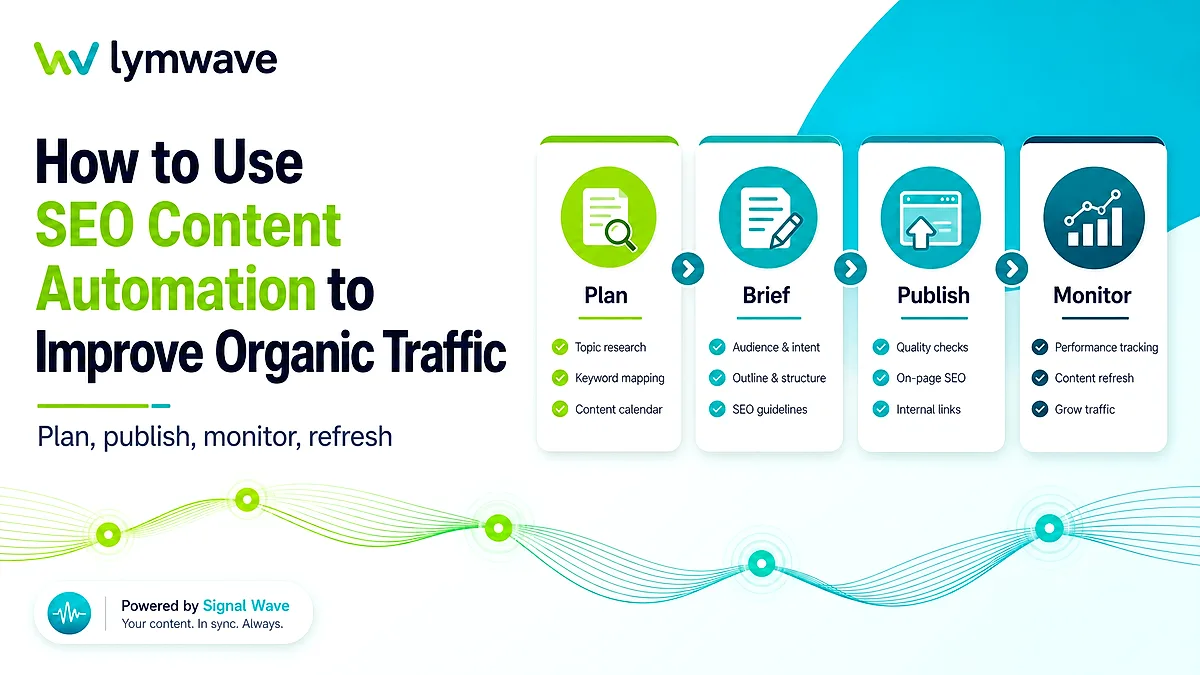
A simple workflow looks like this:
-
Choose a topic from the content plan.
-
Confirm whether it needs a new post, a refresh, or an internal-link update.
-
Generate a brief with intent, sections, metadata, entities, and related links.
-
Draft from the brief and review for accuracy, usefulness, and claims.
-
Run publishing checks for metadata, schema, image paths, and links.
-
Track the article after launch and schedule refresh work when signals change.
This sequence keeps the workflow grounded in traffic improvement. Automation handles the repeatable steps, while the team keeps control over strategy and quality.
How this supports SEO, AEO, and GEO
SEO benefits from automation because the basics become more consistent. Every article can have a clean slug, unique metadata, crawlable internal links, focused headings, and a refresh path. Those details are not glamorous, but they help search engines understand what the page is about and how it fits into the site.
AEO, or answer engine optimization, benefits because the workflow can require answer-friendly structure. A brief can ask for a concise direct answer, a definition when useful, clear steps, comparison points, and FAQ questions that match visible content. That makes the article easier for readers and answer systems to summarize.
GEO, or generative engine optimization, benefits from consistent entity and category language. If a site wants to be understood as an AI SEO automation platform, its content should consistently explain the product category, audience, workflows, and related concepts. Automation can keep those signals present without forcing awkward repetition.
The strongest results usually come from connecting all three. An article should be useful for human readers, easy for search engines to crawl, answer-friendly for AI systems, and consistent with the rest of the content library. That means the workflow should check content quality and structure together.
The broader AI SEO automation content engine workflow connects planning, generation, publishing, and measurement into one system. This post focuses on the traffic side: using that system to publish better pages and keep them improving.
Common mistakes to avoid
The first mistake is automating before choosing the right topics. A weak topic list will produce weak output faster. Start with intent, audience, cluster value, and business relevance before generating drafts.
The second mistake is treating every keyword as a new article. Sometimes the best traffic opportunity is a stronger existing page, a better title, clearer answer structure, or new internal links. Automation should help distinguish those options.
The third mistake is publishing without review. AI can draft quickly, but editors still need to check claims, examples, product references, audience fit, and whether the article actually helps the reader. Review is not a formality. It is where the content becomes credible.
The fourth mistake is measuring only article count. A team can publish many posts and still fail to improve organic traffic if the pages do not match search intent or connect to the rest of the site. Track briefs approved, posts published, refreshes completed, internal links added, query fit, and content that becomes easier to navigate.
The fifth mistake is ignoring old content. New articles can attract attention, but stale articles can quietly lose it. A good automation workflow should identify older posts that need refreshed examples, clearer answers, improved metadata, or better links.
The final mistake is using automation to hide uncertainty. If the system does not know the right claim, source, product detail, or positioning note, it should flag that gap. A visible gap is much safer than confident filler.
Frequently asked questions
How can SEO content automation improve organic traffic?
It can improve organic traffic by making content planning, briefs, metadata, internal links, publishing checks, and refresh workflows more consistent. Consistency helps teams publish useful pages, maintain older content, and connect related topics instead of relying on ad hoc effort.
Should automation create every article automatically?
No. Automation is strongest when it supports the workflow around editorial judgment. It can help plan, brief, draft, optimize, and monitor articles, but humans should approve topics, claims, examples, positioning, and final publication.
What should you automate first?
Start with planning and briefs. Those steps shape every later decision. Once the plan is clear, automate repeated checks such as metadata, schema alignment, image paths, internal links, and refresh reminders.
How does this help AI search visibility?
AI search systems need clear answers, consistent entity language, and useful context. Automation can help make those elements present across the content library, especially when every post includes a direct answer, related concepts, and links to supporting pages.
What is the biggest risk?
The biggest risk is publishing more content without better judgment. If the workflow ignores search intent, review, factual accuracy, and internal links, automation can create a larger library that still performs poorly.
Useful next reads
AI SEO Automation Guide: How to Build a Content Engine That Publishes Consistently explains practical SEO, AEO, and GEO workflows for planning, publishing, measuring, and improving useful content consistently.
How to Create a 30-Day SEO Content Plan with AI explains practical SEO, AEO, and GEO workflows for planning, publishing, measuring, and improving useful content consistently.
How to Optimize Blog Posts for SEO, AEO, and GEO explains practical SEO, AEO, and GEO workflows for planning, publishing, measuring, and improving useful content consistently.
Turn this into a working content system
Audit your content, find AI visibility gaps, and build a publishing workflow that compounds.